🌱 Start your 7-day free trial today. Full access for up to 4 farm members.
Animals • Movement • Breeding • Health • Tasks • Bulk Import • Export CSV

Stop wasting hours entering livestock records.

Add animals in seconds, not hours. Import your herd from Excel CSV, track movements, manage breeding, log health events, and keep the whole farm organized in one place. Built for real farms and installable like a normal app.

âś… One subscription per farm (up to 4 members)
âś… Unlimited animals & animal types
🔥 Bulk import animals from Excel CSV
âś… Export CSV anytime (backup + reporting)
âś… Works on phone, tablet & desktop
Best first step: install the app, import your animals from CSV, then start logging movement, breeding, health, and tasks from the field.

How it works

Get set up in minutes

THE Herd Manager is designed to get farms up and running fast without forcing hours of manual data entry.

1. Import your animals

Upload a CSV from Excel and add your herd in one go instead of entering each animal by hand.

2. Track work as it happens

Log movement, breeding, health, and tasks right from your phone while you are in the yard, pasture, or chute alley.

3. Keep everything organized

Animal records, history, family links, tasks, and exports stay in one place so the whole farm works from the same information.


What’s live today

Built for the gate — not the desk.

No more notebook-to-office double work. Keep clean, consistent records that are easy to enter, easy to find, and easy to export when you need a backup or report.

Bulk Import Animals

Import animals from Excel CSV so you can get started quickly instead of manually typing every record.

Animal Records

Primary Tag, Secondary Tag, species, breed, sex, status, family links, and notes in one organized record.

Health & Treatments

Log health events per animal or multiple animals so treatment history is easy to find later.

Breeding & Family

Record breeding events, due windows, pregnancy checks, outcomes, and family relationships.

Tasks + Team

Create tasks, assign them to farm members, and keep everyone working from the same information.

Movement Tracking

Track single or batch movements from pasture to pasture, farm to farm, sale barn, or anywhere else animals move.

Exports

Export CSV anytime for backup, reporting, or future compliance workflows.

Installable App (PWA)

Runs full-screen like a normal app on Android, iPhone/iPad, and desktop.

One subscription covers the whole farm.

Up to 4 members included. Unlimited animals and animal types. Cancel anytime.

Open App
Pricing

Simple pricing

$7.99/month or $79.99/year (USD)

One subscription per farm. Up to 4 members included. Unlimited animals and animal types.

Open / Install App
Progress

Build progress

We ship updates regularly.

Here’s what’s done and what’s coming next:

âś… Breeding Module (Group Exposure + Events)

Complete

Record breeding events, group exposures, and keep history organized per animal.

➡️ Movement Tracking

Complete

Record movements with timestamps and history built for real farm workflows.

âś… Bulk Import Animals

Complete

Import animals from Excel CSV to get farms set up much faster.

âś… Export Templates

Complete

Export templates designed for backup and common reporting workflows.

📌 Notifications

Planned

Task due reminders and breeding follow-ups so nothing slips through the cracks.

Want to help shape the roadmap? Subscribe and message us what you need most — real farm feedback drives what we build next.

Templates & Training

Start with the right file format

To make bulk import easier, download a ready-made template. If you use Excel, keep tag and RFID columns as Text, then save the file as CSV before importing into the app.

Important: the current bulk importer accepts .csv files. Use the Excel template to build your sheet, then save it as CSV before uploading.

Screenshots

What it looks like

Real screens from the app. Simple, fast, and built for the field.

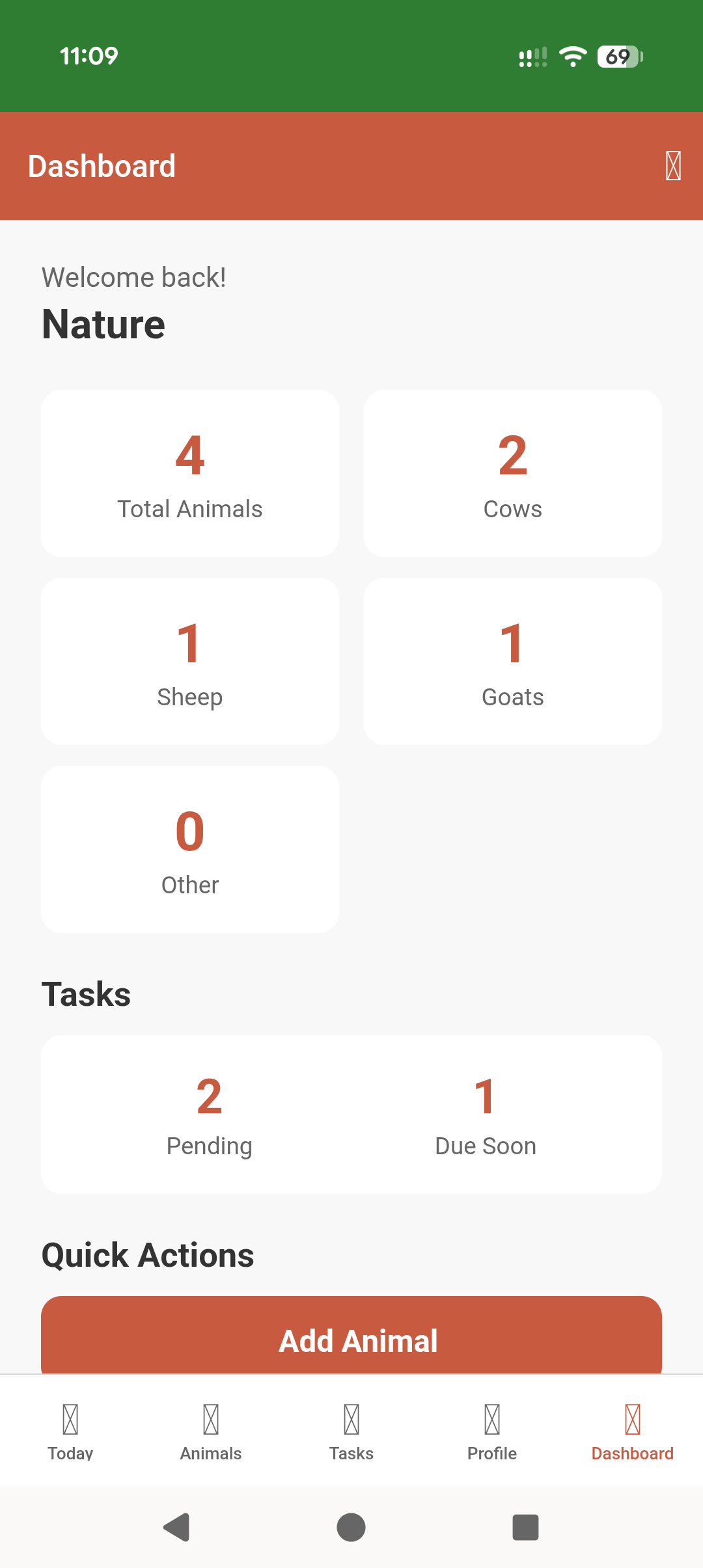
Dashboard showing animal counts and tasks
Dashboard: animal counts and tasks at a glance
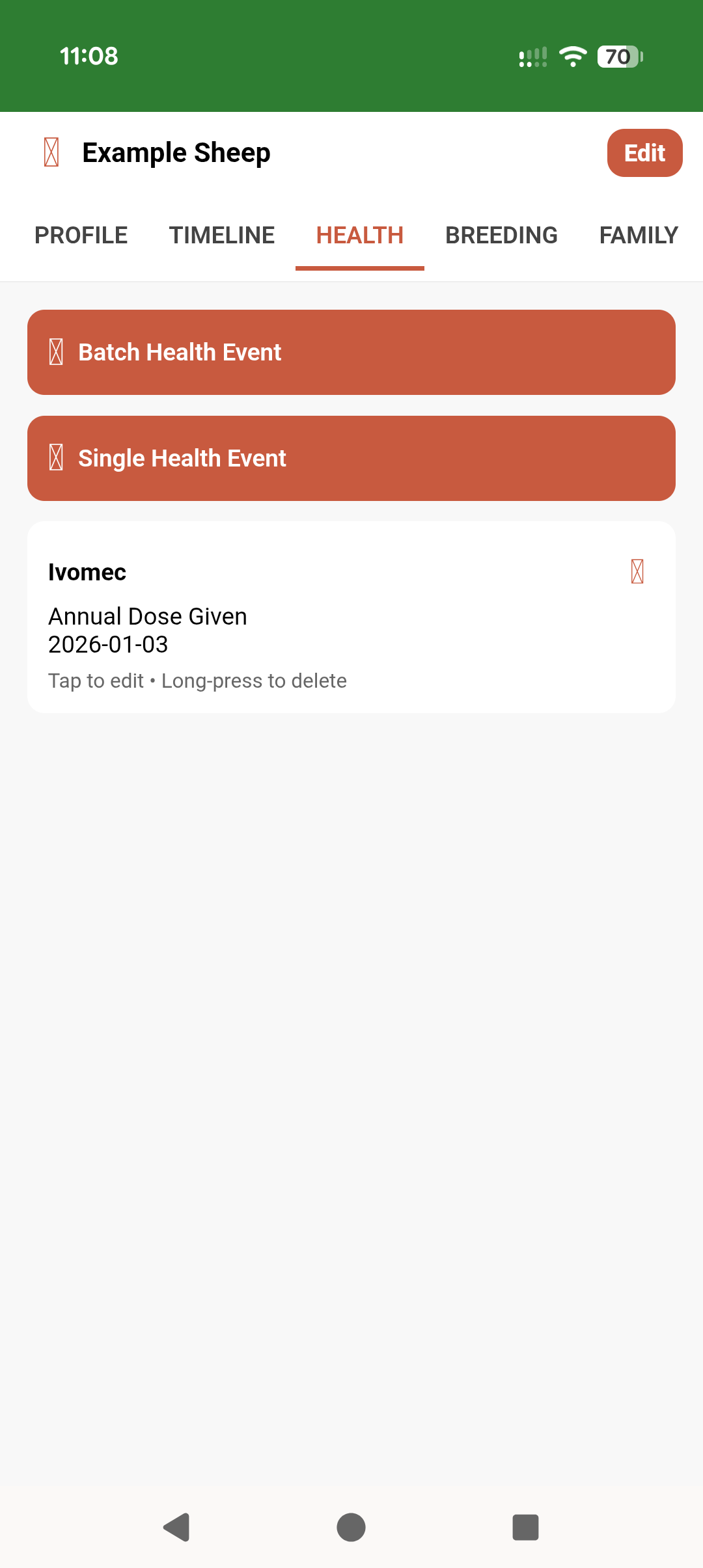
Animal health tab with health event logging
Health: log treatments and history per animal
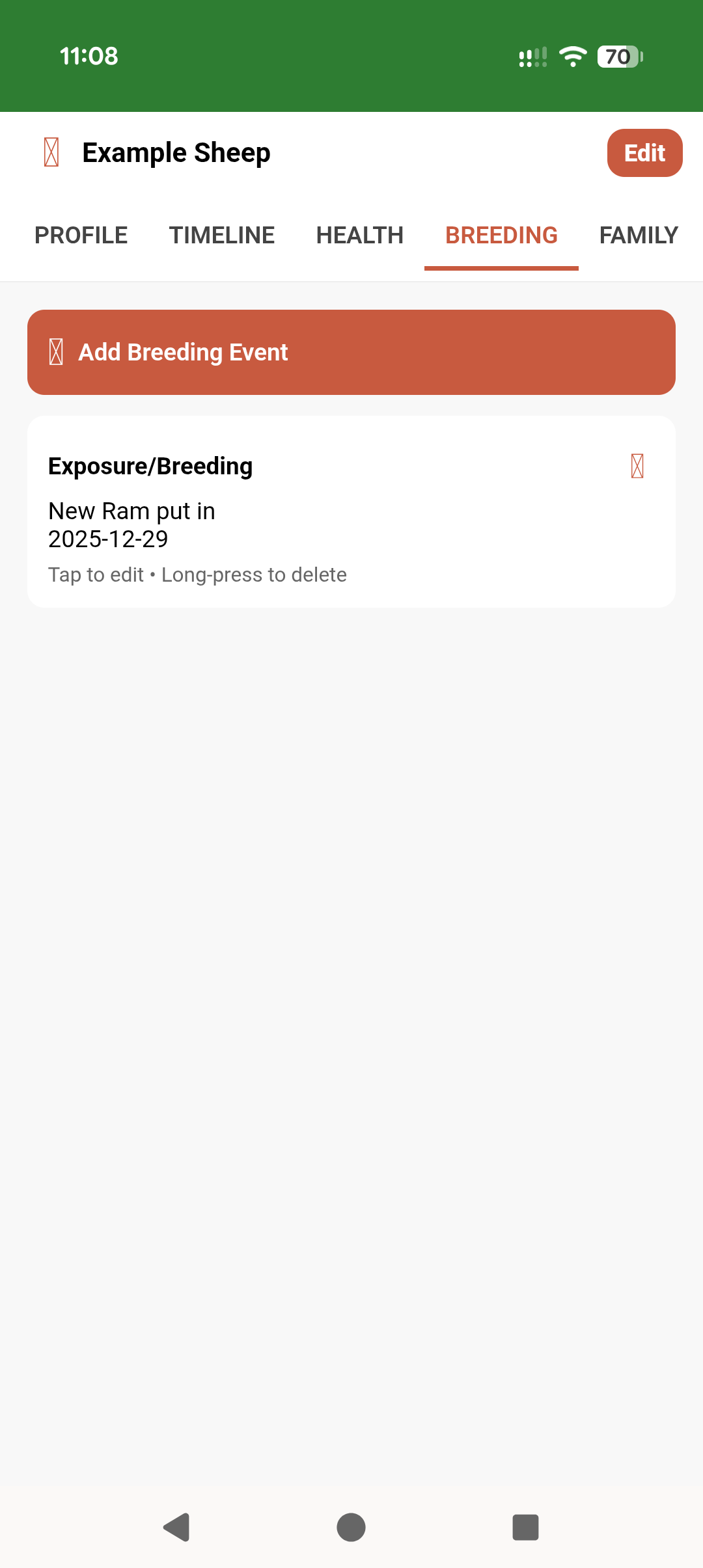
Animal breeding tab with breeding events
Breeding: record breeding events and outcomes
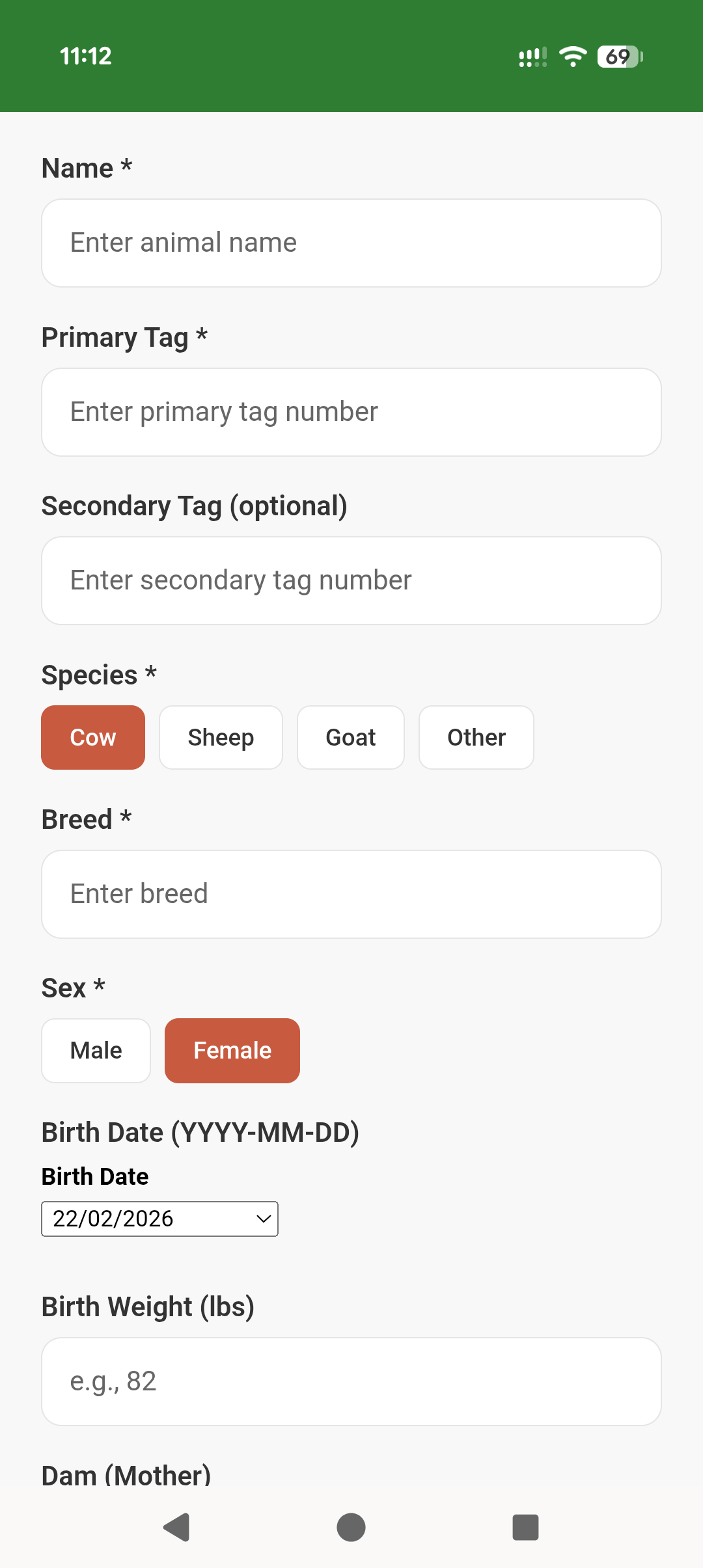
Add animal form showing tags and species selection
Add Animal: tags, species, and details
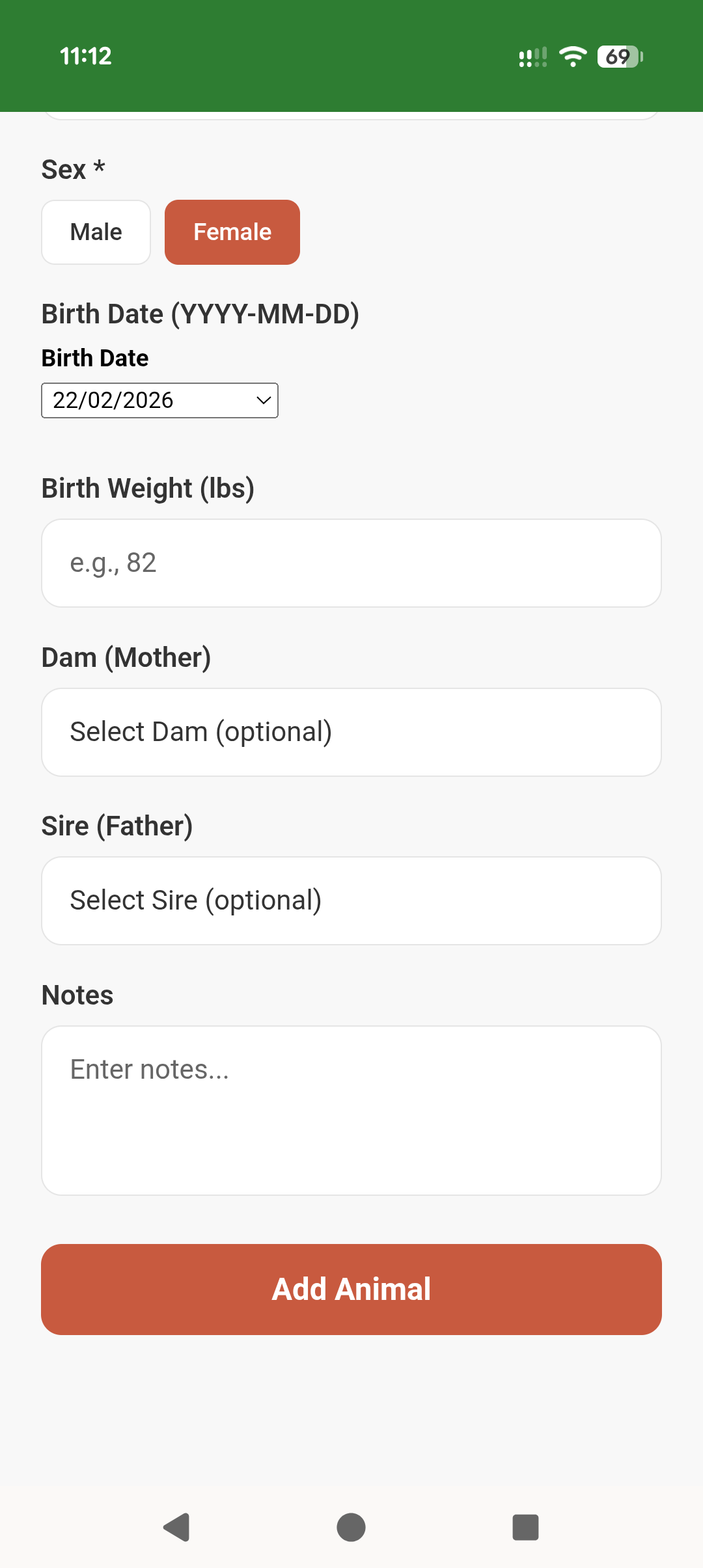
Add animal form showing dam and sire selection and add button
Family links: dam, sire, and notes
Open App

Install App

Install in under 60 seconds

Install once and it runs like a normal app — full screen, quick access, and easier to use in the field.

Android (Chrome)

Install app

  1. Open Chrome and go to the-herd-manager.web.app
  2. Tap the â‹® menu (top-right)
  3. Tap Install app or Add to Home screen
  4. Confirm and the icon appears on your home screen
iPhone / iPad (Safari)

Add to Home Screen

  1. Open Safari and go to the-herd-manager.web.app
  2. Tap Share (square with arrow)
  3. Scroll and tap Add to Home Screen
  4. Name it “THE Herd Manager” and tap Add
Desktop (Chrome / Edge)

Install on your computer

  1. Go to the-herd-manager.web.app in Chrome or Edge
  2. Click the Install icon in the address bar or open the browser menu
  3. Select Install
  4. It opens as its own window like a normal program
Tip: If a browser doesn’t show a true install option, use Chrome on Android and Safari on iPhone/iPad.
Open App
Need help?

Start here if you are new

See step-by-step help for importing animals, installing the app, movement tracking, breeding, tasks, and billing.

Open Help Page
Updates

Get updates

Want to know when major updates ship? Join the email list.